
AppLock - Fingerprint Unlock1.0.5 - Get APK
You'll be able to download in few seconds.
Publisher Description
App Lock designed by Cheetah Mobile
We can support fingerprint unlock only if your Samsung device or the Android 6.0 device has the fingerprint sensor.
★ Android 6.0 is supported
★ Fingerprint lock password is supported on specific devices
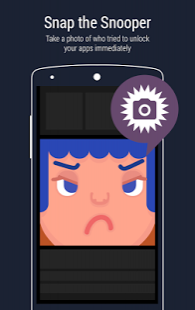
★ Snap the snooper who tried to unlock your apps
★ Customized lock mode. You don't need to unlock apps every time.
★ No Ads and for FREE
What CM AppLock can lock for you?
★ Wi-Fi
★ Bluetooth
★ Incoming Calls
★ Installing / Uninstalling apps
★ Play Store
★ Browser
★ Settings
★ Any apps you want to protect from being snooped
---- Lock Everything (Apps and Switches) ----
★ For young men and women
You just need to lock private browsing histories, Video, Photos, Selfie, Album, Gallery, Wi-Fi, Bluetooth and any apps you want
Never worry about your parents or friends snooping on your secrets.
★ For parents
You just need to lock Settings, Contacts, SMS, Incoming Calls, Wi-Fi, Bluetooth, Browser, messaging apps.
Never worry about your kids change your important settings.
★ For worker
You just need to lock your Wi-Fi, Bluetooth, Incoming Calls, texts, SMS, Shareit, Photos, Video, browser.
Never worry about other people touching your phone. You can just put your phone on the table with no worries.
---- Intruder Selfie ----
Protect your apps all the time. No one can snoop on your apps without your permission.
★ Take a photo of who tried to unlock your app immediately
★ Email the snooper's photo to you immediately
★ The photo will record the date and the time
---- Password Type ----
CM App Lock provides you the different password types.
★ Set your Fingerprint as the password
★ Use Pattern (draw gesture)
★ Use PIN code (numbers)
---- Customized Lock Mode (Lock timing) ----
CM App Lock provides the temporary unlock. You don't need to unlock apps every time.
★ Lock your app at the device screen off
★ Lock your app after the device screen has been off for 3 mins
★ Lock your app after you minimize it immediately
---- Fingerprint lock supported on Android 6.0 or SAMSUNG devices ----
---- Coming soon ----
★ Holi Festival / Easter Festival / Christmas / Valentine's Day / Halloween theme
★ Amazing theme / wallpaper / background
★ Customized theme / wallpaper / background with your own photos
★ Hide apps / photos / videos in the private vault
★ App locker and manager
★ Device screen locker
Terms of service: http://www.cmcm.com/protocol/site/tos.html
Privacy Policy: http://www.cmcm.com/protocol/site/privacy.html
AdChoices: http://www.cmcm.com/protocol/site/ad-choice.html
AppLock has used ACCESSIBILITY SERVICE.
Please contact us via cmapplock@cmcm.com if you have any questions or suggestions.
Your support is our motivation to move on. :-)
About AppLock - Fingerprint Unlock
The company that develops AppLock - Fingerprint Unlock is Cheetah Mobile (AppLock & AntiVirus). The latest version released by its developer is 1.0.5.
To install AppLock - Fingerprint Unlock on your Android device, just click the green Continue To App button above to start the installation process. The app is listed on our website since 2017-12-16 and was downloaded 0 times. We have already checked if the download link is safe, however for your own protection we recommend that you scan the downloaded app with your antivirus. Your antivirus may detect the AppLock - Fingerprint Unlock as malware as malware if the download link to cms.lock is broken.
How to install AppLock - Fingerprint Unlock on your Android device:
- Click on the Continue To App button on our website. This will redirect you to Google Play.
- Once the AppLock - Fingerprint Unlock is shown in the Google Play listing of your Android device, you can start its download and installation. Tap on the Install button located below the search bar and to the right of the app icon.
- A pop-up window with the permissions required by AppLock - Fingerprint Unlock will be shown. Click on Accept to continue the process.
- AppLock - Fingerprint Unlock will be downloaded onto your device, displaying a progress. Once the download completes, the installation will start and you'll get a notification after the installation is finished.
Program Details
System requirements
Download information
Pricing
Version History
version 1.0.5
posted on 2017-12-16
version 1.0.1
posted on 2016-08-17
1.Supports invisible pattern,2.Supports themes
Disclaimer
External Download
We do not host AppLock - Fingerprint Unlock on our servers. We did not scan it for viruses, adware, spyware or other type of malware. This app is hosted by Galad and passed their terms and conditions to be listed there. We recommend caution when installing it.
The APK Download link for AppLock - Fingerprint Unlock is provided to you by apps112.com without any warranties, representations or guarantees of any kind, so access it at your own risk.
If you have questions regarding this particular app contact the publisher directly. For questions about the functionalities of apps112.com contact us.
